Own your AI.Don’t rent it.
Most AI is a subscription someone else controls — new models, removed features, changes you didn't ask for. Nia is one assistant that does real work across your terminal, browser, phone and computer, with one memory, the model of your choice, and you in control.
Nia connects to the tools you already use
Runs On Your Hardware
Remembers Your Context
Smart Task Sequencing
Nothing Risky Without Approval
At-a-Glance Dashboard
Reliable Under Load
See Every Step It Took
You Stay In Control
Browser Sidepanel
Reads Your Open Tabs
Understands the Page
Live Browser Debugging
Terminal Assistant
Chrome Extension
Your Nia Dashboard
One assistant, everywhere you work
One Nia. Your terminal, your browser, and everywhere in between.
Not just a tool for terminal power users.
Nia meets you where you already are — whether that's a codebase, a calendar, or just a question you want answered.
Developers
An agentic terminal that reads your codebase, runs commands, and remembers context across sessions — no context-pasting required.
> Debug why this endpoint returns 500 in production.
◇ Reading your codebase…
Run the test suite?
Everyday users
One chat that remembers you, manages your calendar and to-dos, and answers questions — the web app alone, no terminal needed.
Try NiaPrivacy-conscious self-hosters
Run Nia entirely on your own hardware with local Ollama models. Nothing leaves your network unless you choose to enable a cloud provider.
Running on your hardware
It remembers
The conversation doesn't start over.
Most AI chats forget everything the moment you close the tab. Nia keeps real memory across every conversation — not a transcript you have to re-paste, but semantic recall that surfaces the right context on its own.
Locked by default.
That's Nia.
A PIN gates what Nia will and won't show. Enforced on the server — not just hidden in the interface.
Chat lock
Lock any conversation behind your PIN. Locked messages never leave the server until you unlock it.
Folder lock
Lock a whole folder at once — every chat inside stays gated behind the same PIN, even from a direct link.
Masked emails
Email addresses in chat are masked automatically before they're even stored. Revealing the real value needs your PIN too.
Give your AI a job, not a prompt.
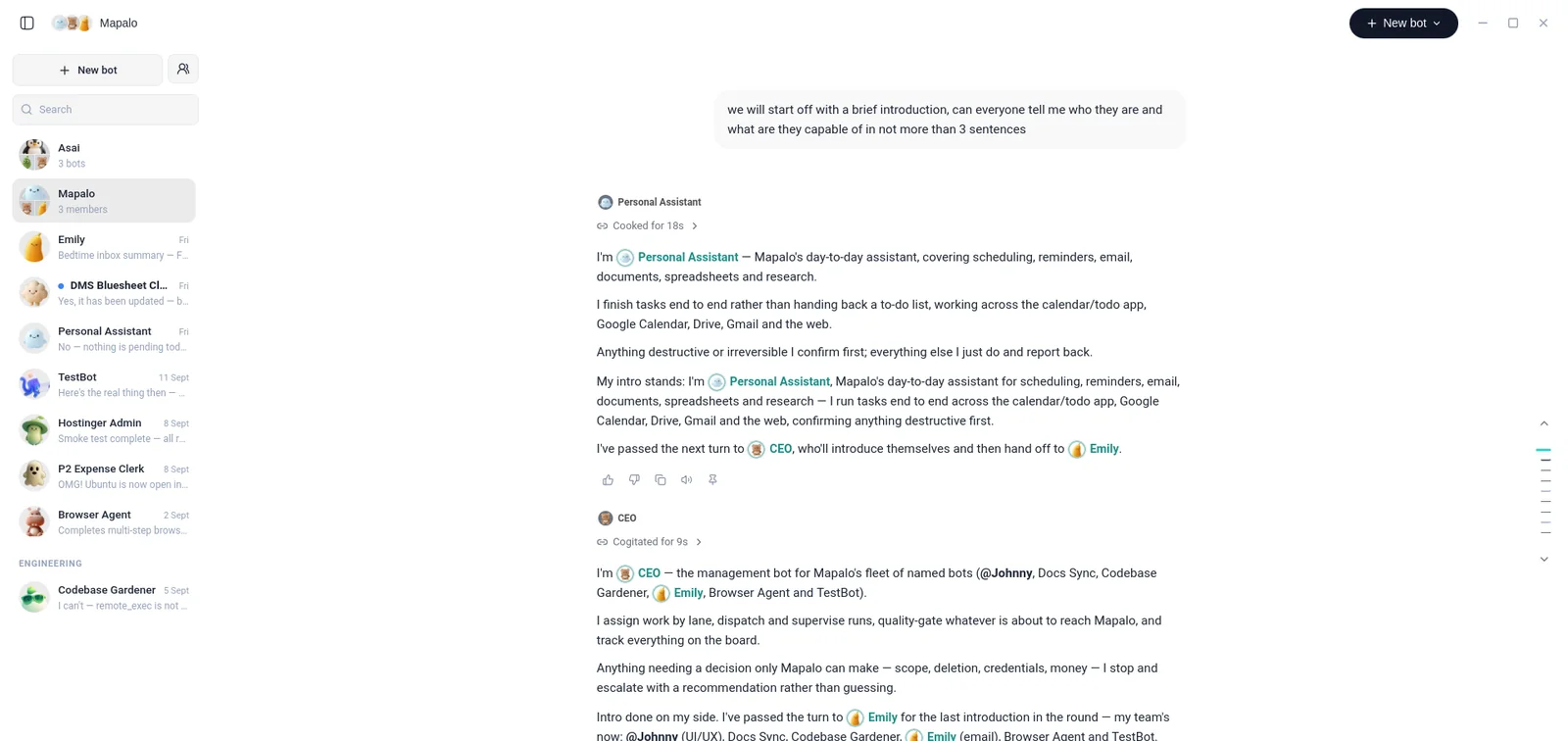
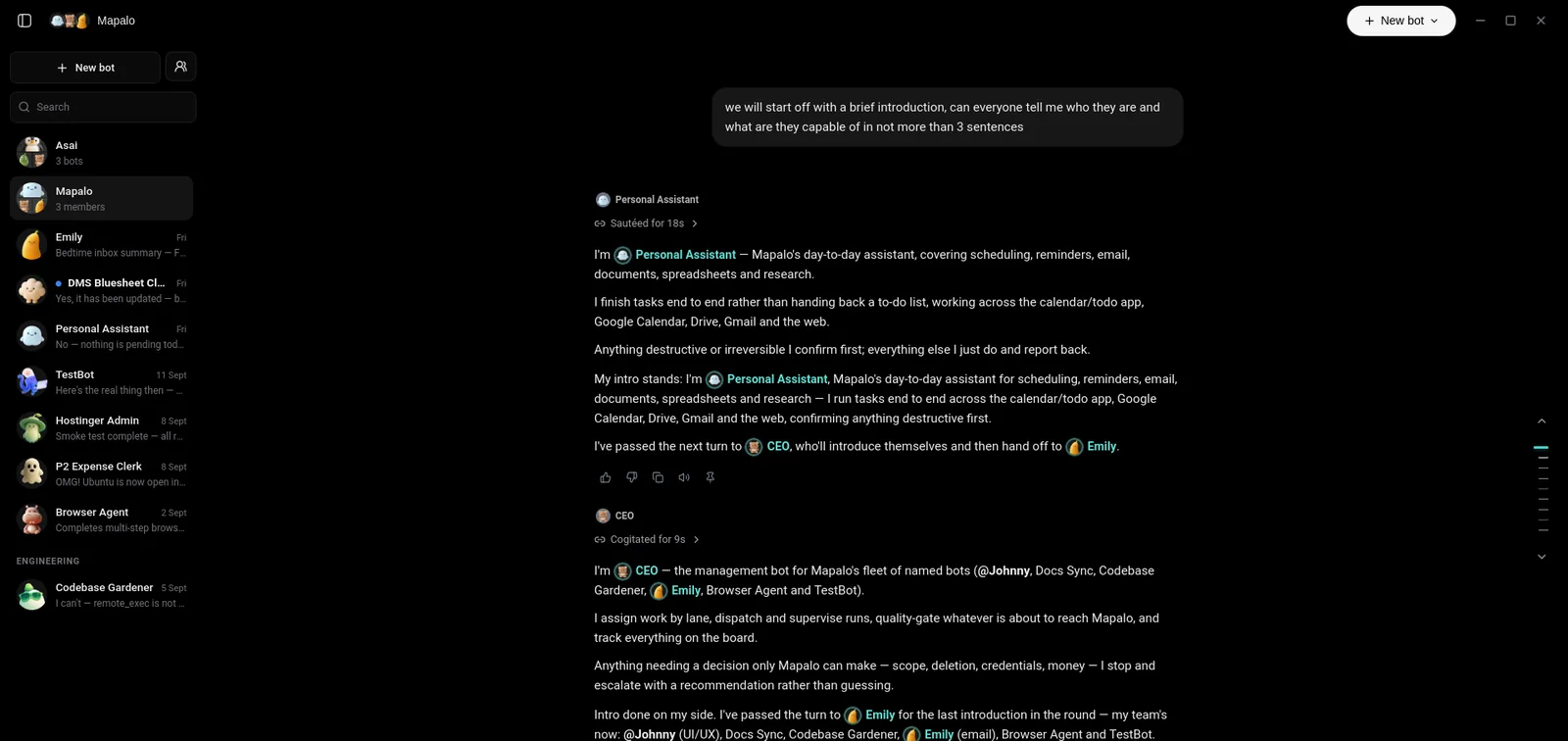
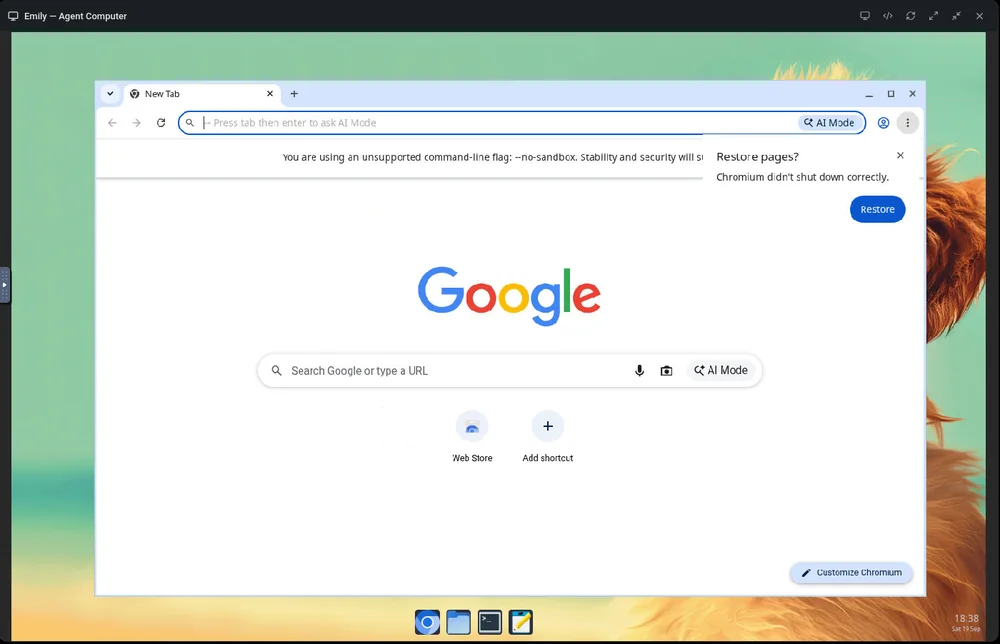
Each bot has its own computer and its own ongoing thread. It works inside your apps, keeps going in the background, and stops to ask before anything outside your approval rules.

 Manager
CEO
Assigns work by lane, supervises runs, and escalates what only you can decide.
 Finance
Expense Clerk
Turns receipts into a filed report and flags what looks off.
 Email
EmailEmily
Reads the inbox, drafts replies, and sends the routine ones.
 Engineering
Codebase Gardener
Tends the codebase and reports back what it found.
You choose what powers Nia.
One memory and one set of tools, whichever model is behind them. You are never locked to a single provider.
Model settings

 Nia
Nia- ModelLocal · Ollama
- Cloud providersOff
- Your dataStays on your hardware
Already connected to what you use.
Gmail, Calendar, Drive, GitHub, and more — Nia reads and acts on the tools you already have open, instead of asking you to move everything into one more app.
Your Google account.
On your terms.
Niacode (Nia) is an AI personal assistant. Connect your Google account and Nia does the work you ask for across your email, calendar and files.
Gmail
Read, summarise, draft, reply, label and archive.
Calendar
Check your schedule, create events, answer invites.
Drive
Find, open, organise and share your files.
Docs, Sheets, Slides
Create and edit documents, sheets and decks.
YouTube
Search videos, see your playlists and subscriptions.
What Niacode never does.
No images of people
Niacode doesn't generate or edit images or videos of people, and never uses Google APIs or your Google data to create or share sexual or intimate imagery of anyone, including AI-generated non-consensual intimate imagery (NCII).
Your data stays yours
Your Google data is never sold, used for advertising, or used to train AI models.
Only when you ask
Niacode only acts on your Google account when you ask it to, and only on your own account.
Niacode's use of information received from Google APIs adheres to the Google API Services User Data Policy, including the Limited Use requirements. Creating intimate imagery is forbidden by our Acceptable Use Policy and ends the account. See our Privacy Policy and Terms of Service.
What people are telling us
Real themes from early testing, shared without names for now.
"Nia reads my whole codebase before answering, so I stop pasting the same three files into every prompt."
Backend Developer · Early access"I just talk to it like a person — move this meeting, remind me tomorrow, summarize that PDF. That's it."
Early Access User · Early access"Everything runs on my own machine through Ollama. Nothing about my code leaves my network."
Security-Conscious Developer · Early access"Nia reads my whole codebase before answering, so I stop pasting the same three files into every prompt."
Backend Developer · Early access"I just talk to it like a person — move this meeting, remind me tomorrow, summarize that PDF. That's it."
Early Access User · Early access"Everything runs on my own machine through Ollama. Nothing about my code leaves my network."
Security-Conscious Developer · Early access"Nia reads my whole codebase before answering, so I stop pasting the same three files into every prompt."
Backend Developer · Early access"I just talk to it like a person — move this meeting, remind me tomorrow, summarize that PDF. That's it."
Early Access User · Early access"Everything runs on my own machine through Ollama. Nothing about my code leaves my network."
Security-Conscious Developer · Early accessEarly access feedback
"It assists you when you know parts of things and fills in the rest. Its questions are precise and thought-provoking—I have to engage critically instead of just copy-pasting."
Frequently Asked Questions
Have questions? We've got answers. If you can't find what you're looking for, feel free to contact us.
Is Nia running on my own hardware?
It can. Nia runs on your own machine or home server with local Ollama models, and in that setup nothing leaves your network. If you use the hosted app or turn on a cloud model provider, your messages are sent to that provider so it can answer.
What can the CLI actually do?
Read/write files with diff previews, run shell commands with human-gated confirmation, search your codebase semantically, and orchestrate multi-step agent workflows — all from your terminal.
Is my codebase data sent to any third party?
Not when you use local models: indexing, database queries and inference all run on your own machine. If you choose a cloud model, the parts of your code Nia includes in a request are sent to that provider.
Can I use cloud models like Gemini or OpenAI?
Yes — you can configure external API keys in your environment variables if you want to fall back to cloud models for complex reasoning tasks.
What operating systems are supported?
Linux is best supported today: the CLI installs with one command on Debian and Ubuntu, and the desktop app ships as an AppImage and a .deb. The CLI also has a native Windows build. macOS isn't packaged yet.
Do I need to know how to code to use Nia?
No — the web app is just a chat that manages your calendar, to-dos, and questions. The CLI and browser extension are there if you want them, not required.
Can Nia help with things that have nothing to do with coding?
Yes — plan your day, summarize a document, set reminders, or just have a conversation. The coding tools are one part of what it does, not the whole thing.
Do I need an internet connection?
Local inference and local tools work fully offline. Anything that hits an external API (web search, cloud models) obviously needs a connection.
How does the permission system work?
A three-tier trust model (locked/default/full) gates every risky tool call behind an explicit yes/no confirmation — nothing runs unattended unless you say so.
Can I write custom scripts for the CLI?
Yes! You can define custom subagents and custom tool scripts directly in the configuration directory to extend Nia's capabilities.
What happens if a tool call fails?
Nia automatically intercepts errors, reports them back, and will ask you for instructions or try to self-correct the issue.
How does semantic memory work?
Nia embeds your code and documents into a local Qdrant vector database, enabling semantic recall of context across different terminal runs.
Does it remember things from the web chat too, not just code?
Yes — Nia recalls context from earlier conversations in the web app, so you don't have to re-explain yourself every time you open a new chat.
Can I lock a private conversation?
Yes — any chat or folder can be PIN-locked. Locked content is withheld by the server itself, not just hidden in the interface.
What's the Chrome extension for?
A sidepanel companion that lets Nia read the active tab, synchronize cookies, and bridge browser context straight into a CLI session.
Can I self-host everything?
Yes — the whole stack (CLI, dashboard, extension, local-agent) is designed to run on your own infrastructure, no vendor lock-in.
How does crash recovery work?
Nia uses Redis and BullMQ queues. If the server restarts, background tasks resume from the last saved execution checkpoint.
What is the orchestrator model?
A central model synthesizes the execution traces and outputs from all parallel agents into a clean, unified response for the user.
Can I run it on low-spec hardware?
Yes, since you can configure lightweight local models like qwen2.5:7b or llama3.2:3b, Nia runs smoothly on moderate laptop specs.
Is there a mobile app?
A dedicated mobile app is in development. Until then, the web app works fine in any mobile browser.
What if I'm not sure what to ask it?
Just start typing what you're trying to do — Nia asks clarifying questions when it needs more context, the same way a person would.
More than a chat window.
Notes, Todo, the desktop app and Android are ready to use today. Calendar is still on the way.
Your schedule, managed by Nia — ask it to move, add or find things.
We set out to build a personal AI assistant. We ended up building something much bigger.
Read how Nia startedLet’s talk.
Questions, feedback, or something broken — we'd like to hear about it.